Building a Digital Microscopy Classroom: A Complete Configuration List
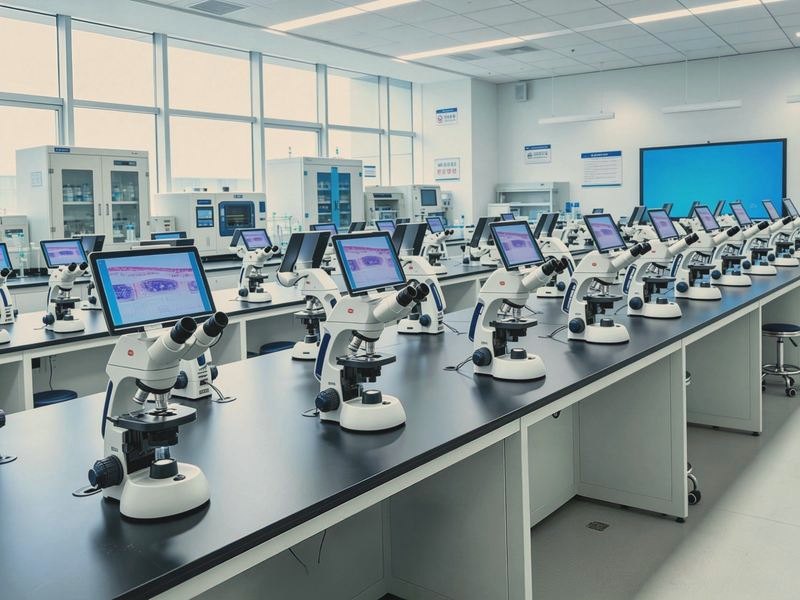
In laboratory classes in medicine, biology, agriculture and forestry, dozens of students look through microscopes at the same time and yet need to see what the teacher sees in the same field of view, something ordinary microscopes cannot deliver. A digital interactive microscopy laboratory connects student and teacher stations on a network and turns looking separately into looking together, and in recent years it has become a common project in university laboratory construction.
1. What problem it solves
Traditional microscopy teaching has two difficulties. Students cannot see clearly and the teacher cannot explain clearly, because there is no way to know in real time what each student is actually observing. And demonstration is hard: a resource microscope serves one viewer at a time. A digital classroom puts the image from every student microscope onto the network, so the teacher can broadcast their own view to every student screen with one click, and can also look at any student's field in real time and annotate it.
2. Core components
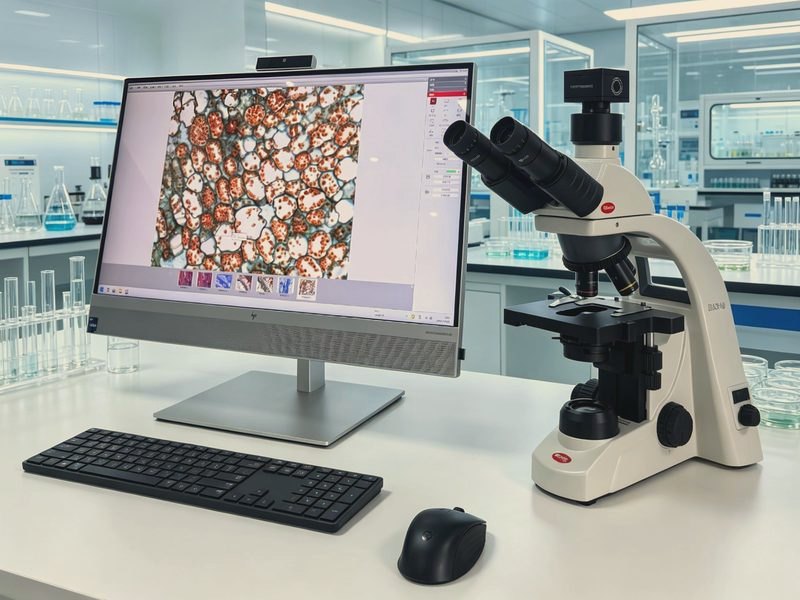
A complete solution usually comprises the student station, a digital biological or stereo microscope with a camera; the teacher station, a teaching microscope with a high-definition camera as the demonstration source; network and control, meaning switches and a server or host carrying the image traffic; interactive teaching software covering broadcast, monitoring, grouping, capture, recording and testing; and furniture, cabling, projection or a large display. The software is the brain of the system and its stability decides how the class actually feels.
3. Sizing by workstation count
The rule is student stations plus the teacher station plus spares. A standard laboratory commonly has 30 to 48 student stations, plus the teacher station and a backup unit. Workstation count, camera resolution and software functions have to match: poor cameras stutter, and limited software reduces the interaction to a gimmick. Clarify course requirements and class size before fixing the configuration.
4. Teaching functions
Typical functions include broadcasting the teacher view to every student, real-time monitoring of any student field, group discussion, electronic hand-raising, capture and saving of student images, recording of short lessons, and in-class quizzes with statistics. These functions are designed around seeing clearly, explaining clearly and assessing properly; in effect they upgrade the microscopy class from hand-holding to something manageable, recordable and assessable.
5. Construction and acceptance
The sequence is usually needs analysis and design, tender and procurement, installation, system integration and commissioning, teacher training, and acceptance. Acceptance should focus on network stability, image quality and latency, the completeness of the software functions, and behaviour at full load with every station running. After-sales service matters just as much: the system spans hardware and software, and problems have to be answered quickly.
A digital interactive microscopy laboratory is not simply a microscope purchase but the construction of a complete teaching system. Choosing a supplier is less about the specification sheet than about whether they can deliver a complete solution, mature software and reliable local service. Get these right and the laboratory will actually be used.